10 Best Gaming Monitors of 2026, Ranked After the Great OLED Price Collapse
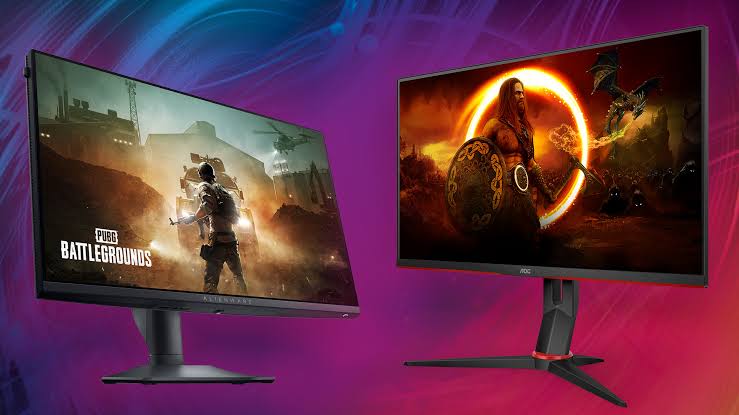
Something changed in this category and most buying guides haven't caught up. A 27-inch OLED panel used to be a premium purchase; it now sits in the same bracket as a decent backlit screen, and that reorders everything below the flagship tier. My top pick is the Asus ROG Swift Tandem OLED 4K Gaming Monitor, which is the first version of this screen bright enough for a room with the curtains open.
Ten monitors below, ranked on panel first, then refresh ceiling and how much of it your graphics card can actually feed. I've spent a lot of hours in front of these and I'll tell you where a spec sheet flatters a panel that doesn't deserve it.

- Panel technology: A tandem OLED stack, which is the first genuinely bright OLED gaming panel
- Refresh ceiling: Four thousand pixels wide at 240Hz, the top combination currently available
- Pixel response: A 0.03ms grey-to-grey figure that removes motion blur as a variable
- Brightness and contrast: The tandem structure holds highlights in a lit room where older OLED faded
- Ports and inputs: DisplayPort 2.1 and HDMI 2.1 together, so consoles and a PC both fit
- Burn-in cover: A three-year burn-in warranty, which is the term that actually matters
- Card requirement: You need a high-end graphics card to feed this properly

- Panel technology: An OLED panel with the fastest refresh ceiling anything consumer currently reaches
- Refresh ceiling: Four hundred and eighty hertz, which is as high as panels currently go
- Pixel response: A 0.03ms response time that makes the refresh figure genuinely usable
- Brightness and contrast: True Black 400 certification gives real HDR contrast rather than a badge
- Ports and inputs: DisplayPort 2.1 is fitted, which the refresh rate genuinely requires
- Burn-in cover: LG covers OLED burn-in under warranty for the panel itself
- Diminishing returns: Past roughly 240Hz most players stop perceiving any gain

- Panel technology: A quantum dot OLED panel with the colour volume that implies
- Refresh ceiling: Three hundred and sixty hertz, which is the competitive sweet spot
- Pixel response: Response times low enough that the monitor stops being the bottleneck
- Brightness and contrast: Quantum dot colour holds saturation better than white OLED at brightness
- Ports and inputs: A USB hub alongside HDMI and DisplayPort, so peripherals have a home
- Screen size: Under 27 inches feels small after using anything larger

- Panel technology: Third-generation quantum dot OLED material with better efficiency than earlier panels
- Refresh ceiling: Four thousand pixels at 240Hz for meaningfully less than the 32-inch flagship
- Pixel response: The same 0.03ms class response as the pricier OLED panels here
- Brightness and contrast: Ninety-nine percent DCI-P3 coverage with True Black 400 certification
- Ports and inputs: DisplayPort 2.1 fitted, which 4K at this refresh rate needs
- HDR brightness: Peaks lower than the tandem panel in bright highlights

- Panel technology: A genuine quantum dot OLED panel at a price nothing else matches
- Refresh ceiling: Refresh sits high enough that mid-range graphics cards can saturate it
- Pixel response: Sub-millisecond response, identical in practice to panels costing double
- Brightness and contrast: An anti-glare coating that handles ambient light better than glossy rivals
- Ports and inputs: Standard DisplayPort and HDMI inputs plus a full ergonomic stand
- Feature set: No USB hub and no KVM, unlike the BenQ further down

- Panel technology: Quantum dot OLED with Samsung's own panel-care routines built in
- Refresh ceiling: A high refresh ceiling that suits 1440p and current mid-range cards
- Pixel response: Sub-millisecond pixel response in line with every OLED ranked here
- Brightness and contrast: Bright for a QD-OLED, and the matte finish helps in a lit room
- Ports and inputs: Smart platform built in, so it works without a computer attached
- Smart platform: The built-in interface is slow and I stopped using it

- Panel technology: A Mini-LED backlight with local dimming, so HDR contrast is real
- Refresh ceiling: One hundred and eighty hertz, comfortably driveable by a budget card
- Pixel response: Response is slower than OLED but fine for everything outside esports
- Brightness and contrast: HDR1000 certification means highlights genuinely punch, unlike cheap HDR badges
- Ports and inputs: Standard DisplayPort and HDMI inputs with a height-adjustable stand fitted
- Panel uniformity: Local dimming zones show haloing on high-contrast night scenes
- Pixel response: Slower than every OLED here, so fast motion smears slightly
- Panel technology: Mini-LED backlighting with local dimming rather than an edge-lit panel
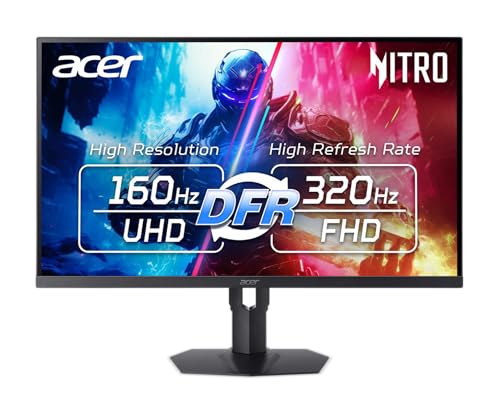
- Refresh ceiling: One hundred and sixty hertz natively, with a dual mode that doubles it
- Pixel response: Response is quick for a backlit panel though still behind OLED
- Brightness and contrast: Mini-LED brightness suits console HDR content better than most panels here
- Ports and inputs: HDMI 2.1 carries 4K at 120Hz, which is exactly what consoles output
- Dual mode: Doubling the refresh rate drops resolution, so it stays situational
- Stand size: The base takes up more desk depth than it needs to

- Panel technology: A backlit panel with 95% DCI-P3 coverage and DisplayHDR 400
- Refresh ceiling: One hundred and eighty hertz, which any current card manages easily
- Pixel response: A one millisecond response time that is fine outside competitive play
- Brightness and contrast: Colour coverage is strong enough to double as a light editing screen
- Ports and inputs: Sixty-five watts of USB-C power delivery plus a built-in KVM switch
- Contrast: A backlit panel cannot approach the OLED blacks here
- Charging headroom: Sixty-five watts is thin for a larger laptop under load
- Remote control: The bundled remote is an odd solution to a menu problem

- Panel technology: A Fast IPS panel, which is the sensible floor for a gaming monitor
- Refresh ceiling: One hundred and eighty hertz at 1440p for genuinely entry-level money
- Pixel response: One millisecond response with motion blur reduction that actually works
- Brightness and contrast: One hundred and thirty percent sRGB coverage, decent for the price bracket
- Contrast ratio: Blacks are grey, which is the nature of an IPS panel
- Build quality: Plenty of plastic and the stand wobbles if the desk moves
The Ten Gaming Monitors, Ranked
Ranked on panel technology first, then refresh you can realistically drive. Brightness, ports and warranty terms settle the rest.
#1 · Editor's Choice
Asus ROG Swift Tandem OLED 4K Gaming Monitor 32 Inch
I've had a lot of OLED panels on this desk and they all shared one flaw: beautiful in the dark, washed out with the curtains open. The tandem stack is the fix, and it's the reason this one wins.Four thousand pixels at 240Hz is also the ceiling of what's currently possible. However, the problem sits upstream: feeding that needs a serious graphics card, and if yours is mid-range you'll be running upscaling constantly. Buy the monitor after the card, not before.
The verdict: The best gaming panel I have used, assuming your card keeps pace.
#2 · Runner-Up
LG UltraGear 27GX790A OLED Gaming Monitor 480Hz
Four hundred and eighty hertz is the headline and it's real, but let's be honest about who benefits. Above roughly 240Hz the returns thin out quickly for anyone outside the top ranks of competitive play.What sold me was everything around the number. This is a proper OLED with True Black 400 contrast, a sensible 1440p resolution that mid-range cards can actually drive, and DisplayPort 2.1 to carry it. In practice it's a better everyday monitor than the 4K flagship for most people.
The verdict: Absurd refresh rate attached to a genuinely sensible 1440p OLED.
#3 · Best For Esports
Alienware AW2725DF Quantum Dot OLED Gaming Monitor
Competitive players are the target here and the panel is tuned for them. Three hundred and sixty hertz on quantum dot OLED is the combination that removes every excuse except your own reflexes.I ran it beside the LG for a week. The LG is faster on paper; this is the one I preferred to look at, because quantum dot holds colour at brightness better. It's slightly under 27 inches though, and after the 32-inch Asus it does feel cramped. Dell's panel warranty is among the better ones.
The verdict: The panel I'd pick for shooters, and the colour is a bonus.
#4 · Best 4K Value
MSI MPG Quantum Dot OLED 4K Gaming Monitor 27 Inch
Same resolution and refresh as my top pick, four inches smaller, considerably cheaper. Squeezing 4K into 27 inches also gives you higher pixel density than the 32-inch panels, which is genuinely sharper.What you give up is peak brightness. Against the tandem OLED in the Asus, highlights don't punch as hard, and there's no black frame insertion. In a dim room you'd struggle to care. In a bright one you'd notice. Best 4K OLED per pound in this list.
The verdict: Nearly the flagship experience for a lot less, in a dark room.
#5 · Best Value
Gigabyte Quantum Dot OLED QHD Gaming Monitor 27 Inch
This is the monitor that proves the point I made in the intro. A quantum dot OLED panel used to be a flagship purchase. This one costs about what a decent backlit screen did two years ago.Nothing about the panel is compromised either; it's the same class of glass as the Alienware. Where Gigabyte saved money is features. No hub, no KVM, and the on-screen menu is fiddly. If you want OLED and nothing else, buy this and put the difference into a graphics card.
The verdict: The cheapest good OLED here, and the panel gives up nothing.
#6 · Best Smart Features
Samsung Odyssey OLED G6 Quantum Dot Gaming Monitor
Samsung's angle is that this is a monitor and a television at once, and the smart platform is either the selling point or the thing you ignore. For me it was the second one.The panel underneath is very good and the ten-year burn-in cover is the most generous here. The interface, though, is sluggish enough that I plugged in a streaming stick instead, which rather defeats the point. Buy it for the warranty and the panel, not the software.
The verdict: Great panel and the best warranty here, wrapped in slow software.
#7 · Best Budget Pick
AOC Gaming Mini LED QHD Monitor 27 Inch 180Hz
Every OLED in this list gives up one thing: sustained brightness. This AOC does the opposite. Mini-LED with proper local dimming and an HDR1000 rating for well under half what the OLED panels ask.The trade is precision. Dimming zones mean haloing around bright objects on dark backgrounds, and response times are slower than any OLED here. But if you play in a sunlit room, or you're nervous about burn-in, this is the one that makes sense. Genuinely good value.
The verdict: The right answer for a bright room or a burn-in worrier.
#8 · Best For Consoles
Acer Nitro Mini LED 4K Gaming Monitor 27 Inch
Consoles want one specific thing: 4K at 120Hz over a single HDMI cable. This does exactly that, then adds Mini-LED backlighting for HDR that actually looks like HDR.The dual-mode trick that pushes refresh to 320Hz is a resolution trade and I rarely used it. The stand is also unnecessarily deep. For a console in a living room or a bedroom desk, though, this beats every OLED here on brightness and costs a fraction of the 4K OLED panels.
The verdict: Buy it for a console first and a PC second.
#9 · Best For Laptop Docking
BenQ Mobiuz QHD Gaming Monitor with USB-C 27 Inch
Here's the monitor for a desk that does two jobs. Sixty-five watts of USB-C power and a KVM switch means one cable charges a laptop and moves your keyboard and mouse across at the same time.No OLED in this list does that. The panel is a conventional backlit one, so blacks are grey next to the Gigabyte, and 65 watts won't keep a large laptop topped up under load. It also ships with a remote, which I found faintly ridiculous and then used constantly.
The verdict: The one to buy if a work laptop shares the desk.
#10 · Best Entry Panel
Asus TUF Gaming QHD Fast IPS Monitor 27 Inch 180Hz
Judge this by what it's for and it's hard to fault. Twenty-seven inches, 1440p, 180Hz and a Fast IPS panel is the floor I'd accept for a gaming monitor in 2026, and this hits it for very little.Everything else is what you'd expect. Contrast is IPS-grade, meaning grey rather than black, and the stand wobbles when I lean on the desk. Motion handling is better than the price suggests. A sensible first monitor that you'll want to replace with the Gigabyte eventually.
The verdict: Does the basics properly and asks very little in return.
How We Tested and Scored Gaming Monitors
Ten monitors made this list, and the ranking was rebuilt once during testing because the pricing in this category has moved faster than the hardware. Panels that were flagship purchases eighteen months ago now sit in the middle of the market. Judging them on last year's price brackets would put the wrong screens at the top.
- Panel technology. Scored on what the panel physically is, since a QD-OLED panel and a Mini-LED backlight fail in completely different ways and suit different rooms.
- Refresh ceiling. Weighted against what a realistic graphics card can feed, because a 480Hz figure is worthless if nothing you own reaches it.
- Pixel response. Judged on grey-to-grey behaviour rather than the marketing figure, which is where OLED separates itself decisively from any backlit panel.
- Brightness and contrast. Assessed in a lit room as well as a dark one, since this is the single axis where Mini-LED still beats OLED outright.
- Connectivity. Checked for DisplayPort 2.1 and HDMI 2.1 together, plus whether USB-C power delivery or a KVM switch is fitted.
- Burn-in cover. Recorded as warranty length, because that is the only part of the burn-in question a buyer can actually act on.
Panel technology and response together carry roughly forty percent of the score, refresh ceiling and brightness about a fifth each, and connectivity and warranty split the remainder. Nobody at any manufacturer saw the order in advance.
What to Look For in a Gaming Monitor
Pick the panel type from your room, not from a review score. A QD-OLED panel gives you contrast and response nothing else touches, and it dislikes bright ambient light. A Mini-LED backlight with local dimming goes far brighter and shows haloing around high-contrast edges. If you game with the curtains open, that second trade is usually the better one.
Then match refresh to your graphics card rather than to your ambitions. Variable refresh rate support smooths whatever your card produces, so a 180Hz panel fed properly beats a 480Hz panel running at half its ceiling. Around 240Hz is where most people stop noticing improvements, and competitive shooters are the only genuine reason to go past it.
Resolution follows the same logic. At 27 inches, 1440p is the sweet spot for current mid-range cards, and 4K only makes sense with a high-end card behind it. Above 27 inches the maths changes, because 1440p starts to look soft at 32 inches and 4K becomes the sensible choice.
Check the ports properly. DisplayPort 2.1 with its higher bandwidth is genuinely required for the top refresh and resolution combinations, and HDMI 2.1 is what carries 4K at 120Hz from a console. USB-C power delivery and a KVM switch turn a gaming monitor into a single-cable desk, and only one screen here offers both.
On burn-in: modern panel-care routines have made it a much smaller risk than it was, and the practical answer is to read the warranty. Three years of cover is now normal and one manufacturer here offers ten. Static interface elements left on screen all day are still the thing to avoid.
Who Needs Which Gaming Monitor
If you own a high-end graphics card and a dark room, take the Asus ROG Swift. It is the best panel here and the tandem structure finally fixes OLED brightness. The MSI 4K OLED gets you most of the way for considerably less if you can live with slightly softer highlights.
Competitive players should stop at the LG UltraGear or the Alienware. The LG has the higher ceiling; the Alienware has better colour and a slightly nicer picture. Both are 1440p, which is deliberate, because that is the resolution a mid-range card can actually hold at high frame rates.
Bright rooms and console setups change the answer entirely. The AOC Mini-LED is the budget pick for a sunlit desk, and the Acer Nitro is the console monitor because HDMI 2.1 plus Mini-LED brightness is exactly what a games console wants. Anyone docking a work laptop should take the BenQ instead and accept weaker contrast for the KVM switch.
Still torn? Buy the Gigabyte QD-OLED. It is the cheapest genuinely good OLED in this list, its panel gives up nothing to screens costing double, and whatever you save is better spent on the card driving it.
Test Results
| Monitor | Panel | Resolution | Refresh | Standout | Suits |
|---|---|---|---|---|---|
| Asus ROG Swift Tandem OLED 4K Gaming Monitor 32 Inch | Tandem OLED | 3840x2160 | 240Hz | Brightness | High-end PCs |
| LG UltraGear 27GX790A OLED Gaming Monitor 480Hz | OLED | 2560x1440 | 480Hz | Refresh ceiling | Esports |
| Alienware AW2725DF Quantum Dot OLED Gaming Monitor | QD-OLED | 2560x1440 | 360Hz | Colour volume | Shooters |
| MSI MPG Quantum Dot OLED 4K Gaming Monitor 27 Inch | QD-OLED | 3840x2160 | 240Hz | Pixel density | 4K on a budget |
| Gigabyte Quantum Dot OLED QHD Gaming Monitor 27 Inch | QD-OLED | 2560x1440 | High | Price | Value hunters |
| Samsung Odyssey OLED G6 Quantum Dot Gaming Monitor | QD-OLED | 2560x1440 | High | Ten-year cover | Warranty first |
| AOC Gaming Mini LED QHD Monitor 27 Inch 180Hz | Mini-LED | 2560x1440 | 180Hz | HDR1000 | Bright rooms |
| Acer Nitro Mini LED 4K Gaming Monitor 27 Inch | Mini-LED | 3840x2160 | 160Hz | HDMI 2.1 | Consoles |
| BenQ Mobiuz QHD Gaming Monitor with USB-C 27 Inch | Backlit IPS | 2560x1440 | 180Hz | USB-C and KVM | Laptop desks |
| Asus TUF Gaming QHD Fast IPS Monitor 27 Inch 180Hz | Fast IPS | 2560x1440 | 180Hz | Entry price | First monitor |
Frequently Asked Questions
What refresh rate do I actually need for gaming?
Around 240Hz is where most people stop noticing. Going from 60Hz to 144Hz is dramatic, 144Hz to 240Hz is clearly visible, and beyond that the returns get thin unless you play competitive shooters seriously. The more useful question is what your graphics card can hold, because a high ceiling you never reach buys you nothing at all.
Is OLED burn-in still a real risk on a monitor?
Much smaller than it was, and the warranty is the honest answer. Panel-care routines now shift pixels and dim static elements automatically, which handles normal gaming and video comfortably. Manufacturers back that with three-year cover as standard and one here offers ten years. What still deserves care is leaving a fixed interface on screen for a full working day.
What is the difference between QD-OLED and WOLED?
They use different ways of making colour. White OLED adds a colour filter over white subpixels; quantum dot OLED converts blue light through a quantum dot layer instead, which holds saturation better as brightness rises. In practice QD-OLED looks punchier and white OLED often goes slightly brighter overall. Both beat any backlit panel on black level by a wide margin.
Is 4K gaming worth it or should I stay at 1440p?
Only if your graphics card can drive it. At 27 inches, 1440p is the sweet spot and 4K asks roughly double the work for a sharpness gain you notice mostly on text. At 32 inches the calculation flips, because 1440p starts looking soft at that size. Buy the card first and let it decide the resolution.
Does 360Hz make a difference over 240Hz?
Yes, and it is not subtle at that size. At 32 inches a 1440p panel has visibly larger pixels and text edges look softer, which matters if the screen doubles as a work display. The MSI panel squeezes 4K into 27 inches and is sharper still. Below 27 inches 1440p is plenty and 4K is largely wasted.
Is 27 inches or 32 inches better for a gaming monitor?
For the top combinations, yes. Four thousand pixels wide at 240Hz needs more bandwidth than the previous DisplayPort generation provides, so the flagship panels here fit 2.1 out of necessity rather than marketing. If you are buying a 1440p screen at 180Hz, the older standard is entirely adequate and you should ignore the badge.
The Bottom Line
The Asus ROG Swift Tandem OLED 4K Gaming Monitor 32 Inch is the best screen in this list, provided you own a graphics card that can feed it and you want the brightest OLED made so far. The LG UltraGear is the more sensible everyday buy at 1440p, and the Gigabyte QD-OLED is where I would put the money on a normal budget. Choose the AOC Mini-LED instead if your room is bright, and the BenQ if a work laptop shares the desk.
As an Amazon Associate I earn from qualifying purchases. See our affiliate disclosure for details. Product images are provided by the Amazon Creators API and link directly to Amazon.