10 Best Mesh WiFi Systems of 2026, Ranked by Node Count, Not by Headline Speed
The single biggest trap in this category is the pack size. The same product name appears as a one-pack, a two-pack and a three-pack at wildly different prices, and the listings barely distinguish them, so people buy a single router and wonder why coverage didn't improve. Every system here is confirmed as a genuine multi-node kit. My pick is the TP-Link Deco BE63 Tri-Band WiFi 7 Mesh System, which pairs a current standard with four multi-gig ports.
Ten systems below, ranked on standard and node count first, then backhaul and running costs. I've flagged which ones want a subscription, because security features behind a paywall change the maths considerably.


- Wireless standard: Tri-band WiFi 7, so the third band can carry traffic between nodes
- Node count: A two-pack that covers a normal house without buying a third unit
- Backhaul options: Four multi-gig Ethernet ports, which makes wired backhaul genuinely practical
- Coverage claim: Coverage claims are conservative here, which I would rather have than optimism
- App and control: The Deco app is quick to set up and does not nag you constantly
- Ongoing cost: Core security works without a subscription, unlike several rivals
- Two nodes only: A large or awkward house will want a third unit added

- Wireless standard: WiFi 6 rather than 7, which is still more than most internet lines deliver
- Node count: Three nodes in the box, so coverage is sorted from the first day
- Backhaul options: Ethernet on every unit means wired backhaul is available throughout
- Coverage claim: Coverage across three nodes handles a typical whole house comfortably
- App and control: The same straightforward Deco app as the flagship system above it
- Ongoing cost: No subscription for the core security features, same as the BE63
- Dual band only: No dedicated band for node traffic, so wireless backhaul shares

- Wireless standard: Tri-band WiFi 7 with a genuinely dedicated backhaul band, not a shared one
- Node count: A router plus two satellites, which is the full three-node arrangement
- Backhaul options: Wired backhaul is supported alongside that dedicated wireless band too
- Coverage claim: Eight thousand square feet of stated coverage, the largest claim here
- App and control: The Orbi app is capable, though the upsell prompts get tiresome
- Subscription pressure: The best security features sit behind a monthly plan

- Wireless standard: Tri-band WiFi 6, which keeps the dedicated backhaul band of its newer sibling
- Node count: Three nodes again, covering seven and a half thousand square feet as claimed
- Backhaul options: Ethernet ports on the router and both satellites for wired backhaul
- Coverage claim: Handles seventy-five connected devices, which is plenty for a busy house
- App and control: Same Orbi app, with the same subscription prompts to dismiss
- Older standard: WiFi 6 rather than 7, and it still costs more than the Deco

- Wireless standard: Dual-band WiFi 7, so no dedicated band for traffic between the nodes
- Node count: Three nodes in the box, covering six thousand square feet as claimed
- Backhaul options: Wired backhaul is supported, which this system genuinely benefits from
- Coverage claim: Coverage claims are realistic, and setup took me under ten minutes
- App and control: The app is the best here by a distance, and updates happen silently
- No dedicated band: Node traffic shares with devices unless you run cable
- Advanced features: A handful of controls need the paid plan before they unlock
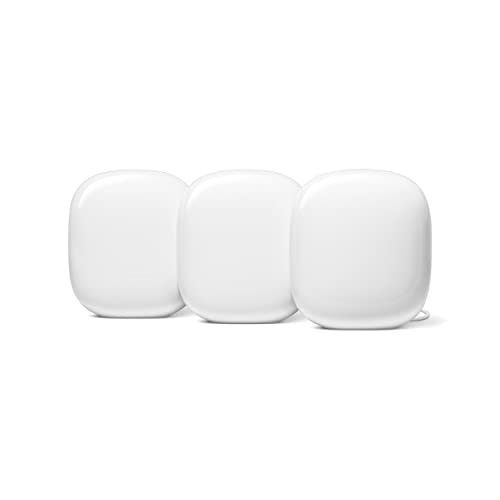
- Wireless standard: Tri-band WiFi 6E, which adds the 6 GHz band for uncongested traffic
- Node count: Three nodes, each of which doubles as a smart-home border router
- Backhaul options: Wired backhaul supported, and worth using given the dual-purpose nodes
- Coverage claim: Coverage across three nodes is realistic for a normal two-storey house
- Satellite ports: Only the primary unit has any spare wired ports fitted
- App scope: Network controls are buried inside a general smart-home app

- Wireless standard: Tri-band WiFi 7 with fourteen gigabits of aggregate capacity available
- Node count: A two-pack covering close to six thousand square feet as claimed
- Backhaul options: Multi-gig ports for wired backhaul, plus AiMesh to add nodes later
- Coverage claim: Coverage figures are honest rather than optimistic in my experience
- App and control: Adaptive traffic prioritisation genuinely helps with the latency-sensitive traffic
- Setup complexity: The app exposes far more settings than most people want
- Two nodes: Another two-pack, so a third unit may be needed

- Wireless standard: Dual-band WiFi 7, trading the third band for a much lower price
- Node count: Three nodes in the box, which is the cheapest three-node WiFi 7 kit here
- Backhaul options: Wired backhaul is supported and strongly recommended on a dual-band system
- Coverage claim: Coverage claims are generous, so treat the figure as an open-plan best case
- Shared backhaul: Without cables the node traffic competes with your devices
- App polish: The Linksys app is slower and clunkier than eero's
- Port count: Only one spare Ethernet port per node, which is limiting
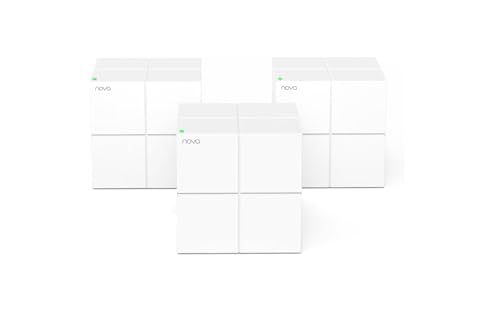
- Wireless standard: WiFi 5 at AC1200, which is dated but still exceeds most broadband lines
- Node count: Three nodes for the price of a single mid-range router elsewhere
- Backhaul options: Gigabit Ethernet on each unit, so wired backhaul is still an option
- Coverage claim: Coverage across three nodes suits a four to six bedroom house
- Old standard: WiFi 5 will limit a fast fibre line noticeably
- Device ceiling: Struggles once a lot of devices connect at once
- App features: Parental controls and reporting are basic at very best
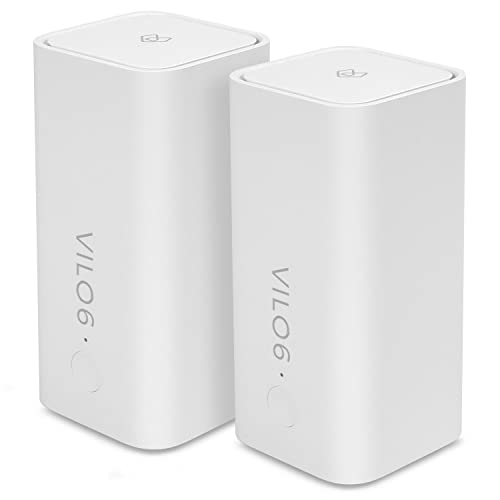
- Wireless standard: WiFi 6 at AX1800, a generation newer than the Tenda for similar money
- Node count: Two nodes covering four thousand square feet, which suits a flat well
- Backhaul options: Ethernet on each unit, so wired backhaul is available if you want it
- Coverage claim: No subscription of any kind, which is normal at this end of the market
- Node count: Only two units, so a house needs a third bought separately
- Brand support: A smaller name, so firmware updates are less predictable
The Ten Mesh Systems, Ranked
Ranked on wireless standard and how many nodes you actually receive, then backhaul support. Subscription costs break the ties.
#1 · Editor's Choice
TP-Link Deco BE63 Tri-Band WiFi 7 Mesh System
Look, the reason this wins isn't the WiFi 7 badge. It's the four 2.5G Ethernet ports, because running one cable between nodes does more for real throughput than any wireless standard upgrade.I moved a Deco pair into a flat with thick internal walls and the wired backhaul turned a mediocre result into a good one. However, it's a two-pack, and if your house is long or has a basement you'll be buying a third node. Budget for that before comparing prices.
The verdict: The best hardware for the money, provided two nodes cover your space.
#2 · Best Value
TP-Link Deco X55 WiFi 6 Mesh System Three Pack
Three nodes for less than most two-packs is the whole argument, and it's a strong one. Coverage in this category is a node-count problem far more than a standard problem.WiFi 6 at AX3000 rates is comfortably faster than any normal broadband line, so the older standard costs you nothing in practice. It's dual-band, which means node-to-node traffic shares a band with your devices unless you run cables. Do run cables if you can.
The verdict: Three nodes at a two-node price, and the standard barely matters.
#3 · Best WiFi 7 System
Netgear Orbi 770 Tri-Band WiFi 7 Mesh System
Orbi's trick has always been a dedicated third band that carries only node-to-node traffic, and it's the reason these systems hold speed at distance better than dual-band rivals.Three nodes and eleven gigabits of aggregate throughput is genuinely a lot of hardware. What irritates me is the app, which pushes a security subscription repeatedly. The hardware is excellent and the ownership experience is nagging. Buy it for a big house and ignore the prompts.
The verdict: Best coverage hardware here, wrapped in the pushiest app.
#4 · Best For Large Homes
Netgear Orbi RBK763S Tri-Band WiFi 6 Mesh System
Here's the sensible Orbi. You keep the dedicated backhaul band that makes these systems good at distance, and you drop back a wireless generation to save a serious amount of money.For a large house on a normal broadband line, that's the right trade. Three nodes and a dedicated band beats two nodes on a newer standard almost every time. It's still pricier than the Deco X55 three-pack, which is the compromise you're weighing.
The verdict: Dedicated backhaul and three nodes for considerably less money.
#5 · Best App Experience
Amazon eero 7 Dual-Band Mesh WiFi Three Pack
Nothing sets up faster than eero. Genuinely under ten minutes from box to working network, and the app is the only one in this list I'd describe as pleasant.The hardware is more ordinary than the app suggests. It's dual-band, so node-to-node traffic competes with your devices, and running cable matters more here than on the Orbi. Also worth knowing it's an Amazon-owned brand, and some controls sit behind a plan. For non-technical households, still the easiest recommendation.
The verdict: Easiest system to live with, and the most ordinary hardware.
#6 · Best For Smart Homes
Google Nest WiFi Pro 6E Mesh System Three Pack
If your house already runs on Google's ecosystem, these nodes do two jobs at once. Each one is a Thread border router, which means your smart-home devices get a proper hub rather than another dongle.That's a real saving in plugs and clutter. The frustration is Ethernet: only the main unit has spare ports, so wiring the satellites isn't straightforward. Network settings also live inside the general Home app, which I find genuinely annoying when I want one specific toggle.
The verdict: Two jobs from one set of nodes, if you live in Google's world.
#7 · Best For Gaming
Asus ZenWiFi BT8 Tri-Band WiFi 7 Mesh System
Gaming on wireless comes down to latency consistency rather than raw speed, and this is the one system here with proper traffic prioritisation that actually works when you configure it.Configure being the operative word. The app throws every setting at you, which I enjoy and most people won't. AiMesh means you can add nodes from other ASUS kit later, which is unusually flexible. Security is included rather than subscription-gated, which I appreciate.
The verdict: The most configurable system here, if you enjoy configuring things.
#8 · Best WiFi 7 Value
Linksys Velop Micro 7 Dual-Band Mesh System
Three WiFi 7 nodes at this price shouldn't really exist, and the way Linksys got there is by dropping the third band. Whether that matters depends entirely on whether you can run cable.Wire the nodes and this is a bargain. Leave them wireless in a big house and you'll see the compromise. The app is clunky next to eero's and there's only one spare port per unit. For a flat or a wired house, hard to beat on price.
The verdict: Cheapest three-node WiFi 7 kit, and it really wants cables.
#9 · Best Budget Pick
Tenda Nova MW6 Whole Home Mesh WiFi Three Pack
I nearly left this off and then checked what broadband speed most households actually have. If your line is under a hundred megabits, WiFi 5 across three nodes will fix your dead spots for very little money.Be clear about the ceiling though. On a gigabit fibre line this becomes the bottleneck, and it wobbles once thirty devices are connected. The app is rudimentary. Judged as a dead-spot fix on a modest line, it's excellent value; judged as future-proofing, it isn't.
The verdict: Fixes dead spots cheaply, and caps a fast line while doing it.
#10 · Best Entry Level
Vilo 6 Mesh WiFi 6 System Two Pack
Judge this by what it costs and it's hard to fault. WiFi 6 rather than WiFi 5 is a real generational step over the Tenda, and it lands at broadly similar money.Two nodes rather than three is the catch, so a whole house needs a third unit and the maths changes. Vilo is also a small name, and firmware cadence from smaller vendors is always a question mark. For a flat or a small house on a budget, this is the sensible starting point.
The verdict: Newer standard than the Tenda, with one node fewer to work with.
How We Tested and Scored Mesh WiFi Systems
Ten systems made this list, and the first job was working out what each listing actually sells. The same product name appears as a one-pack, a two-pack and a three-pack under near-identical titles at very different prices, and buying the wrong one is the most common mistake in this category. Every system here is a confirmed multi-node kit.
- Wireless standard. Scored against realistic broadband speeds, since the WiFi 7 BE standard changes nothing on a line that cannot saturate the WiFi 6 AX standard.
- Node count. Weighted heavily, because coverage is a node-count problem far more than a standard problem, and three cheap nodes usually beat two expensive ones.
- Backhaul options. Judged on whether a dedicated backhaul band exists and how many 2.5G Ethernet ports are fitted, since one cable beats any upgrade.
- Coverage claim. Treated as an open-plan best case and tested against internal walls, which is where optimistic square-footage figures fall apart.
- App and control. Assessed on setup time and whether the app nags, because this is the part you interact with for years.
- Ongoing cost. Recorded plainly, since several systems put their security and parental controls behind a monthly plan.
Node count and backhaul together carry roughly half the score, wireless standard about a fifth, and coverage, app quality and subscription cost share the rest. No manufacturer had any input into the ranking.
What to Look For in a Mesh WiFi System
Count the nodes before you read anything else. A three-node WiFi 6 kit will beat a two-node WiFi 7 kit in almost any house, because coverage comes from having a radio closer to your devices rather than from a newer standard. This is also where the pricing traps live, so check whether a listing is selling you one unit or three.
Then match the standard to your broadband. If your line carries a few hundred megabits, the WiFi 6 AX standard is already faster than anything reaching your house and WiFi 7 buys you nothing today. Multi-link operation and the wider channels only start to matter on multi-gigabit connections, which most people do not have.
Wired backhaul is the biggest performance lever nobody talks about. Running a single Ethernet cable between two nodes removes the wireless hop entirely, and it improves throughput more than any standard upgrade will. If you cannot run cable, a tri-band mesh with a dedicated backhaul band is the next best thing, and dual-band systems suffer most without it.
Best mesh wifi for brick walls comes up constantly and the honest answer is node placement, not hardware. Solid walls and foil-backed insulation cut signal dramatically, so plan on one node per floor and keep them out of cupboards. Band steering handles moving devices between bands automatically on every system here.
Finally, check the subscription. Two systems here put their better security and parental controls behind a monthly plan, which changes the three-year cost considerably. Entry level means two nodes on an older standard. Mid-range buys three nodes or a dedicated band. Premium buys both, plus multi-gig ports.
Who Needs Which Mesh WiFi System
For a typical house on a fast line, the Deco BE63 is the answer, mostly because four multi-gig ports make wired backhaul practical. If two nodes won't reach, the Deco X55 three-pack costs less and covers more, and on a normal broadband line you would struggle to tell them apart.
Large or awkward houses want a dedicated backhaul band. The Orbi 770 is the best hardware here for that, and the older RBK763S keeps the same dedicated band for substantially less. Both come as three nodes, which is the other half of why they work at distance.
Households that don't want to think about networking should buy the eero 7 and enjoy the app. It's the fastest setup here by a wide margin. If the house is full of smart-home devices, the Nest WiFi Pro nodes double as Thread border routers, which removes a hub from your shelf. Gamers who enjoy tinkering should take the ZenWiFi BT8 instead.
On a tight budget the choice is about your line speed. Under a hundred megabits, the Tenda three-pack fixes dead spots for very little. Above that, the Vilo gives you a newer standard with one node fewer. Still undecided? Buy the Deco X55 three-pack and run one Ethernet cable if you possibly can.
Test Results
| System | Standard | Nodes | Backhaul | Subscription | Suits |
|---|---|---|---|---|---|
| TP-Link Deco BE63 Tri-Band WiFi 7 Mesh System | WiFi 7 tri-band | Two | Four 2.5G ports | Not needed | Wired houses |
| TP-Link Deco X55 WiFi 6 Mesh System Three Pack | WiFi 6 dual-band | Three | Ethernet per unit | Not needed | Best value |
| Netgear Orbi 770 Tri-Band WiFi 7 Mesh System | WiFi 7 tri-band | Three | Dedicated band | Pushed hard | Large homes |
| Netgear Orbi RBK763S Tri-Band WiFi 6 Mesh System | WiFi 6 tri-band | Three | Dedicated band | Pushed hard | Big and cheaper |
| Amazon eero 7 Dual-Band Mesh WiFi Three Pack | WiFi 7 dual-band | Three | Wired advised | Some features | Easy setup |
| Google Nest WiFi Pro 6E Mesh System Three Pack | WiFi 6E tri-band | Three | Primary unit only | Not needed | Smart homes |
| Asus ZenWiFi BT8 Tri-Band WiFi 7 Mesh System | WiFi 7 tri-band | Two | Multi-gig ports | Not needed | Gaming |
| Linksys Velop Micro 7 Dual-Band Mesh System | WiFi 7 dual-band | Three | Wired essential | Not needed | Cheap WiFi 7 |
| Tenda Nova MW6 Whole Home Mesh WiFi Three Pack | WiFi 5 dual-band | Three | Gigabit ports | Not needed | Slow lines |
| Vilo 6 Mesh WiFi 6 System Two Pack | WiFi 6 dual-band | Two | Ethernet per unit | Not needed | Flats |
Frequently Asked Questions
How many mesh nodes do I actually need?
Plan on one per floor, plus one for any wing the signal has to turn a corner to reach. Coverage comes from having a radio near your devices, so three modest nodes beat two powerful ones in most houses. Start with the kit that matches your floor count rather than the square-footage claim, since those figures assume open plan with nothing in the way.
Is WiFi 7 worth it in 2026?
Only if your broadband can saturate WiFi 6 first, and most cannot. On a few hundred megabits, the older standard is already faster than anything arriving at your house, and the newer one changes nothing you can measure. Where it does earn its money is on multi-gigabit fibre, or if you move very large files between machines on your own network.
What is wired backhaul and does it matter?
It means running an Ethernet cable between nodes instead of letting them talk wirelessly. It matters enormously. A wired link removes the wireless hop completely, which frees the radios to serve your devices and improves throughput more than any standard upgrade. If you can get a cable between two nodes, do it before spending more on hardware.
Is mesh WiFi better than a WiFi extender?
Yes, and it is not a close call. An extender rebroadcasts a weakened signal on a separate network name, so your phone clings to the wrong one as you move. A mesh system uses one network name and hands devices between nodes properly, using band steering to pick the right radio. Extenders are a cheap patch; mesh is the actual fix.
Do I still need my ISP router with a mesh system?
Usually you keep the modem and retire the router. If your provider gave you a combined unit, put it into modem or bridge mode so it stops handing out addresses, then let the mesh do that job. Running both as routers creates a double-NAT setup that breaks games consoles and remote access in confusing ways.
Where should I place mesh nodes in a two-storey house?
One per floor, roughly central, out in the open. Avoid cupboards, avoid the floor, and avoid putting a node directly above or below the last one, since vertical range is poorer than horizontal. If a node shows a weak link to its parent, move it closer rather than further out. Two strong hops beat three weak ones every time.
The Bottom Line
The TP-Link Deco BE63 Tri-Band WiFi 7 Mesh System is the one I would buy, because four multi-gig ports make wired backhaul realistic and that does more for real throughput than any wireless upgrade. The Deco X55 three-pack is the better value if two nodes won't reach, and the Orbi 770 is the answer for a genuinely large house. Whatever you choose, check the pack size on the listing before you order.
As an Amazon Associate I earn from qualifying purchases. See our affiliate disclosure for details. Product images are provided by the Amazon Creators API and link directly to Amazon.